Plandentic
Treatment planning

Diagnose visually. Build the treatment interactively. The rest follows.

Most treatment planning happens in the dentist's head - between the exam and the explanation. Plandentic gives that thinking a visual, interactive home. A tooth chart with dental logic built in. A treatment layer where you phase, compare, and refine before committing.

No credit card required

  1. Step 1 Diagnose
  2. Step 2 Treatment
  3. Step 3 Document
  4. Step 4 Send
Today's reality

You already plan treatment. You just don't have a tool for it.

Every dentist plans treatment. The question is where that planning lives - and whether it survives the moment the patient walks out.

PMS

The PMS perio chart

The PMS handles scheduling and billing. The perio chart, if it has one, was designed for charting - not for building proposals. Dropdowns to assign conditions. No visual feedback. No way to show the patient what you're recommending or explore alternatives before committing.

Verbal

The verbal explanation

The dentist explains treatment in-person. The patient nods. Then they go home with nothing - no document, no visual, no reference to share with a partner or revisit when the details fade. The planning was real. The patient just can't take it with them.

Manual

The manual document

A Word file or PMS-generated printout with procedure codes and totals. It takes effort, looks generic, and doesn't help the patient actually understand what's being recommended. Better than nothing - but not by much.

The configurator

A tooth chart that thinks like a dentist.

The Plandentic configurator is the first thing you see when you open the app - no setup needed, no patient record required to start. Tap a tooth. Select a condition. The chart updates instantly with clear visual markers.

The illustrations are intentionally simple and readable. But underneath, the logic is deep - dental rules, condition relationships, and treatment dependencies guide you through each decision. The system thinks with you, not against you.

Plandentic configurator showing the interactive tooth chart with diagnosis markers
  • Diagnosis with visual feedback

    Tap a tooth, select a condition - the chart shows it immediately. Visual markers, color-coded status. The diagnosis builds as you think, not after.

  • Multiphasing and sequencing

    Structure complex cases into phases - hygiene, surgery, prosthetics. Drag to reorder. Add or remove stages and see how the plan reshapes. Clinical thinking made visible.

  • Try approaches before committing

    Create Option A (implant) and Option B (bridge). The patient sees both side by side. Change your mind? Adjust a phase, swap an approach - nothing is locked until you send.

  • Your procedures, your prices

    Add custom diagnoses. Define your own treatment procedures and services. Set pricing with your margins. The system adapts to how your practice works, not the other way around.

  • Voice control - gloves on, hands free

    We're building voice control into the configurator. Dictate diagnoses and treatments while your hands are busy. Designed for the reality of clinical work - gloves on, patient in the chair.

The output

You plan the treatment. The document follows.

As you work through diagnosis and treatment, a professional document assembles in the background. Your clinic's branding. Visual tooth map. Treatment phases laid out. Pricing transparent.

You never opened a template. You never copy-pasted a procedure description. The document is a byproduct of your clinical decisions - not a separate task.

If you want to adjust it, an advanced editor gives you full control - resize images, edit text, toggle pricing displays, insert 3D intraoral scans. But for most plans, the generated output is already professional enough to send.

Start as a draft - no patient attached. When ready, connect the patient, review, and send a magic link. Or download a high-fidelity PDF.

Your team

One plan. Multiple hands. Each person does what they do best.

In a solo practice, one person does everything - and the configurator is fast enough for that. In a team, the work divides naturally.

The Assistant

Opens the configurator after the exam. Charts the diagnosis on the tooth map while the dentist is still with the patient. The visual markers are intuitive enough that charting doesn't require guessing.

The Dentist

Reviews the diagnosis, then defines treatment. Adds phases, tries alternatives, selects procedures. The clinical decision that only the dentist can make - now it takes minutes, not a separate session.

The Coordinator

Takes it from there. Reviews the generated document, adjusts wording if needed, attaches the patient, sends the magic link. From here it's communication and conversion.

Solo

You do all three steps yourself - and it still takes under 5 minutes because each step flows into the next.

Read the solo story
Clinic

The assistant starts before the patient even leaves the chair. By the time the dentist reviews, half the work is done. The coordinator sends while the dentist is already in the next appointment.

Read the clinic story
Group

The same workflow, standardized across locations. Every dentist uses the same tool, every plan looks the same, every new hire learns the system in a day.

Built-in intelligence

Your planning data becomes business intelligence.

Because every treatment plan flows through the configurator - every diagnosis, every service, every price, every outcome - Plandentic accumulates data that your PMS never captures this way.

Which services do you use most? What are your real margins per procedure? Which treatment options get accepted more often? Where does revenue concentrate - and where does it leak? These aren't questions you need to set up reports for. The answers appear naturally as you work.

This isn't a reporting add-on. It's data that accumulates from your daily planning - service volumes, margins, acceptance rates, revenue trends - giving you and your clinic the visibility to make better business decisions about pricing, service mix, and where to focus.

In development The future of the configurator

From X-ray to diagnosis - with AI as your second pair of eyes.

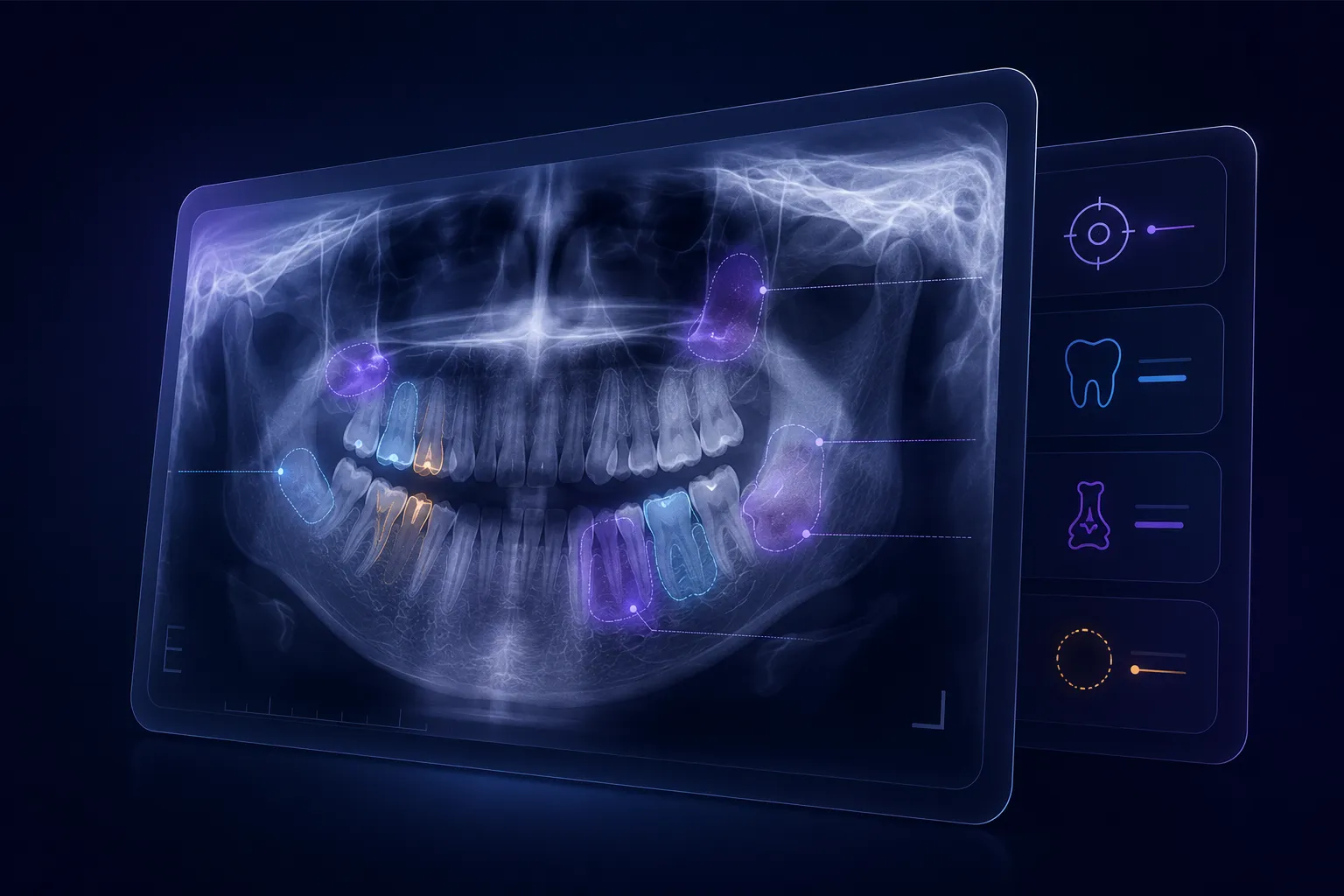
This is one of the most ambitious features on our roadmap. Upload a panoramic X-ray - the system overlays it directly on the tooth chart. Computer vision analyzes the image and highlights suspected conditions: caries, bone loss, missing teeth, periapical lesions. The diagnosis step pre-fills itself.

You review what the AI suggests. Confirm, adjust, or dismiss - your clinical judgment remains the final word. But instead of charting from scratch, you start from a structured suggestion. For complex panoramics, that's a meaningful difference.

This is a long road. AI-assisted diagnosis in dentistry requires extensive validation, regulatory clearance (FDA, EU MDR), and rigorous clinical testing. We're committed to doing it right - not fast. But when it arrives, it will fundamentally change how the planning process begins.

Panoramic X-ray with AI-detected conditions overlaid on the tooth chart

See what your patients could be saying yes to.

Start creating treatment plans that reflect your expertise.